

How to Integrate Salesforce with LLMs (OpenAI / Gemini) Using External Services
Most Salesforce teams already know how to connect their CRM to payment gateways, marketing tools, or ERP systems. But Salesforce LLM integration is a different tool. You are not just moving data between systems anymore. You are asking Salesforce to think, summarize, draft, and reason using an outside AI model in near real time.
This is where External Services comes in. It lets Salesforce call OpenAI or Gemini directly from Apex, Flow, or Agentforce, without writing brittle HTTP callouts by hand. For architects and developers who have been doing point-to-point integrations for years, this is a genuinely different pattern, and it is worth understanding properly before you build on top of it.
Why External Services Changes the Integration Conversation
Salesforce integrations are currently made possible through the use of named credentials, custom Apex classes, and manual management of REST logic. This is all well and good when it comes to predictable APIs with known schemas. However, APIs provided by LLMs may not necessarily fall into this category. Prompts, response formats, and token limits are things to take note of.
The solution that External Services offers is to parse an OpenAPI schema and generate the Apex classes to invoke that API. Provide it with an OpenAI/Gemini-compatible schema, and Salesforce will automatically generate your invocable actions which can be directly placed in Flow Builder or Agentforce actions.
A few things worth knowing upfront:
- External Services requires a valid OpenAPI 3.0 specification. Not every AI vendor publishes one out of the box, so you may need to adapt it.
- Each generated action maps to a specific endpoint and operation, not the entire API surface.
- Payload size and schema complexity affect how cleanly the import works. Overly nested JSON schemas sometimes need simplification.
A Practical Walkthrough: Connecting OpenAI Through External Services
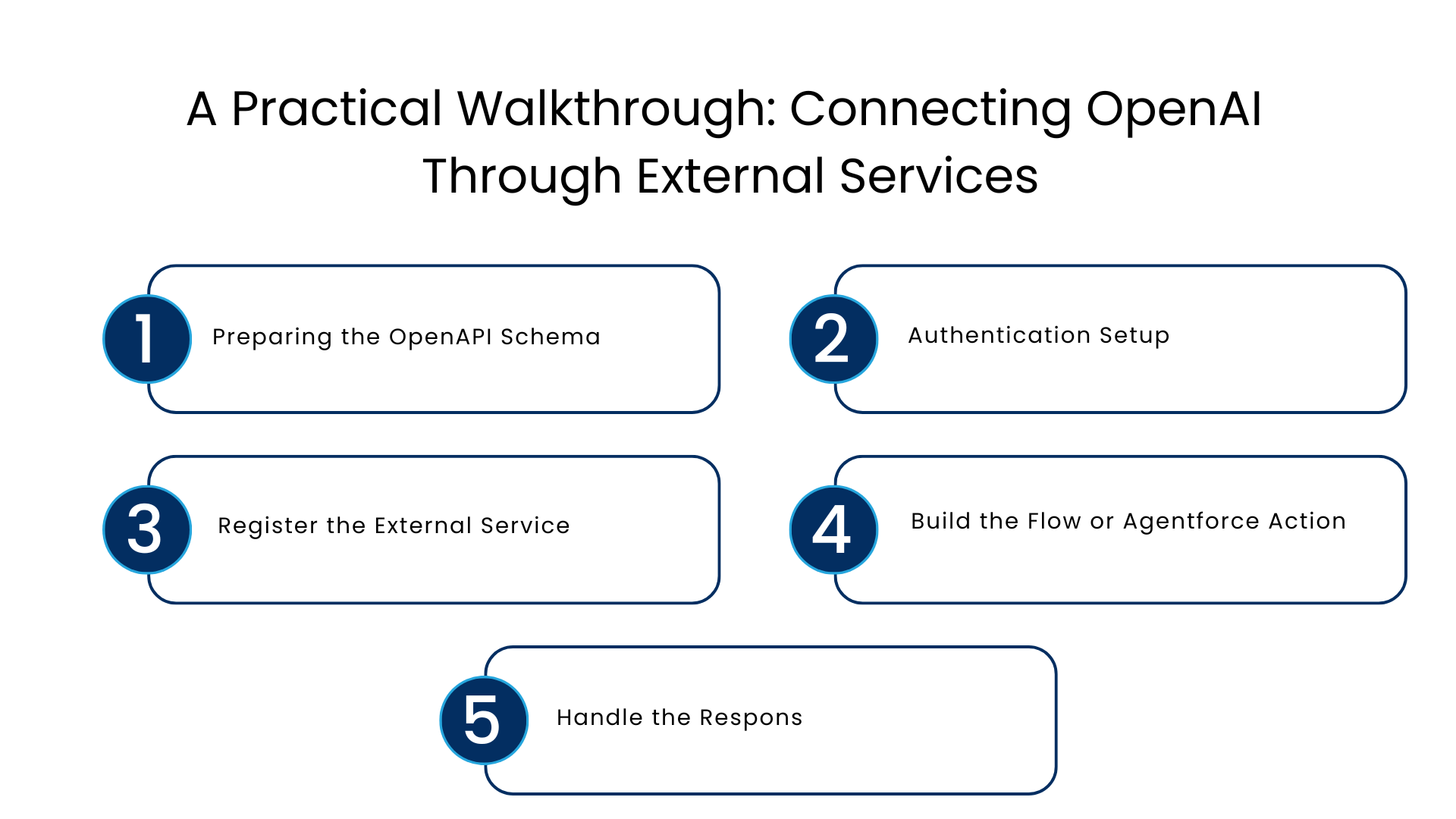
Here is roughly how a typical Salesforce OpenAI integration comes together in a mid-size implementation.
Step 1: Preparing the OpenAPI Schema
Begin with a simplified OpenAPI schema with only the endpoints that you need to access, typically Chat completions or embeddings. A full vendor schema is often overly complicated because it has unnecessary operations for Salesforce.
Step 2: Authentication Setup
Configure a named credential through the use of an external credential. Your API key must never be hard coded anywhere in your Apex or Flow. The named credential pattern of Salesforce allows you to avoid embedding credentials in your code.
Step 3: Register the External Service
Go to Setup, navigate to External Services, and import your schema. Salesforce parses it and lists available operations. Select only the ones you plan to use.
Step 4: Build the Flow or Agentforce Action
Once registered, the operation appears as an invocable action. You can now:
- Call it from a Record-Triggered Flow to summarize a closed-lost opportunity
- Use it inside Agentforce to let an agent draft a follow-up email
- Trigger it from a Screen Flow so a service rep can generate a case summary on demand
Step 5: Handle the Response
LLM responses come back as unstructured or semi-structured text. Parse the JSON response, extract the relevant fields, and map them into a Salesforce record or a Flow variable. This step trips up a lot of first-time builders, since AI responses are less predictable in shape than typical API payloads.
Real-World Example: Case Summarization with Gemini
A mid-size Salesforce external AI model use case that comes up often is service case summarization. Here is the general pattern:
- A case is updated and marked “Ready to Close.”
- A Flow triggers an External Service action pointed at Gemini’s API.
- The prompt includes the case description, recent comments, and resolution notes.
- Gemini returns a two-paragraph summary.
- The Flow writes that summary into a custom field visible on the case layout.
This is a good example of AI-powered CRM workflows done right. The AI does one narrow job, the output is reviewed by a human before anything customer-facing happens, and the whole thing runs inside Salesforce’s native automation tools rather than a separate middleware layer.
Common Mistakes Teams Make
| Mistake | Why It Hurts | Better Approach |
| Sending full object records as prompt context | Increases token cost and risk of exposing sensitive fields | Send only the fields the model actually needs |
| Skipping response validation | Malformed AI output can break downstream Flow logic | Add try-catch and default fallback values |
| Using synchronous calls in high-volume triggers | Can hit callout limits and slow down transactions | Use asynchronous Apex or Platform Events for volume |
| Hardcoding API keys | Security risk, key rotation becomes painful | Always use named credentials and external credentials |
| No monitoring on token usage | Costs can spike unnoticed | Track usage through logging and vendor dashboards |
API Considerations and Governance Limits
Limits are applied per transaction by Salesforce in terms of number of callouts and timeout, usually at about 100 callouts and total timeout limit. The response time from an LLM is slower compared to API response in most cases, therefore the timeout aspect becomes crucial in this case.
Some numbers that one should consider for planning purposes:
- Total callout time per transaction is capped, so a single slow LLM call can consume a large share of your budget
- Response payloads have size limits, which matters if you are asking for long-form AI output
- Bulk operations involving AI calls should be handled through async Apex, not synchronous Flow paths
Security and Data Governance for AI Workflows
This is the part that gets glossed over most often, and it should not be.
- Data Minimization: Make sure that only the fields necessary for your prompt are provided to the model. Don’t pass full records when you only need two or three fields.
- PII Data Handling: Wherever possible, mask or remove any personally identifying data from your API request.
- Named Credential Scopes: Give the credential access only to what is necessary for the integration.
- Audit Trail: Record what data you sent and what data you received, especially for regulated sectors.
- AI Output Review: Consider AI-produced content as an initial draft response rather than the final answer.
The NIST AI Risk Management Framework is a useful reference point if your organization needs a formal governance structure around this kind of Salesforce AI external services work.
Performance Considerations Nobody Talks About Enough
Calls using LLMs are slower and more unpredictable than most other REST-based API calls. Some of the things which do make a difference are:
- Caching common responses in situations where there is repeated use of the same prompt and context
- Establishing realistic timeout expectations for end users, particularly within Agentforce conversations
- Scheduling bulk non-urgent AI calls as an Apex batch job rather than triggering them
- Monitoring usage of tokens, which scales based on length of input and output
Organizations who neglect this tend to realize their mistake when they reach thousands of processed records.
Where This Fits into a Broader Salesforce AI Strategy
External Services is far from the only mechanism for integrating AI into Salesforce. The native models of Einstein support many use cases of prediction and generation without an external call at all.
Organizations that consider this build method will naturally lean towards a team who has experience in mapping the schema and governing this process, such as the Salesforce consulting team or Salesforce integration services.
The Salesforce LLM integration relies on the specifics of the API call. Map the schema, do the governance and validation, and External Services can serve as a solid bridge between your CRM, and the AI models your trust.
FAQs
Is there any support for any other LLM provider in External Services, or only OpenAI and Gemini?
As External Services integrate with any API which has a valid OpenAPI 3.0 schema, it doesn’t have restrictions around OpenAI or Gemini providers specifically. These two just happen to be the most popular picks when it comes to Salesforce external AI models usage.
Will I need some Apex code for my External Services with LLM?
No, once the schema is parsed, the created actions can be leveraged directly from Flow Builder or Agentforce without writing any Apex code. Custom Apex will come handy in case of advanced responses handling though.
Is Salesforce OpenAI integration safe enough to be used in regulated industries?
Yes, if you take care of data minimization, named credential scoping, and logging. It’s the integration technique that is secure but your implementation team is responsible for the data that is sent.
How does it differ from a simple OpenAI API call with custom Apex code?
Custom Apex will give you full control but you’ll have to maintain everything manually whenever the API changes. External Services automatically create and update the integration layer based on the schema.
Can External Services handle high-volume AI calls without hitting limits?
Not directly in synchronous transactions. High-volume scenarios should route through asynchronous Apex or scheduled batch jobs to stay within Salesforce’s governor limits.
For more insights, updates, and expert tips, follow us on LinkedIn.