


How Does Salesforce KYC Face Verification with AI Helps Businesses to Stay Audit Ready?
The data security concerns in the business environment are rising and Know Your Customer (KYC) verification is no longer just a practice. It is a mandatory and legal requirement. Now in these modern times, physical KYC is no longer sufficient and Salesforce KYC face verification steps in as an advanced process.
This face verification acts as a step security in ensuring that the person on the produced ID matches the actual face. This live face detection enabled with the modern AI technologies detects the face match in an instant and identifies fraud (in case).
This KYC face authentication inside Salesforce eliminates all manual processes and physical paperwork and fastens the KYC verification process by nearly 60-70%. Additionally, this streamlines the identity verification processes, reduces compliance risk, and helps the organisations remain audit ready with clear verification trails.
What is the Salesforce KYC Face Verification with Artificial Intelligence (AI)
The Salesforce KYC face verification with AI enablement refers to the automated process of validating a user’s identity using biometric facial recognition technology, directly within the Salesforce CRM.
The verification happens live with the AI powered verification tools. The user’s live selfie is matched with the face in the presented government ID like Aadhaar, PAN, and GST.
This Salesforce biometric face authentication eliminates all the manual processes and checks, and the organisations do not even need to use any third party tools.
Why Audit Readiness Matters for Businesses in India?
Before understanding the KYC face authentication within Salesforce, it is critical to understand why the audit readiness matters.
- Regulatory Compliance: Financial industries like banking, fintech and insurance are heavily regulated in regard to KYC/AML procedures. Breach of such important regulations can lead to prosecution and possible sanctions.
- Risk Mitigation: Proper identification is essential in order to minimize cases of fraud and identity theft. There must be assurance that it is really the client who registers.
- Support for Audit: There are times when authorities perform audits to check if companies meet their requirements. It is essential to maintain documentation on all verification processes.
How Does the AI Salesforce Identity Verification KYC Work?
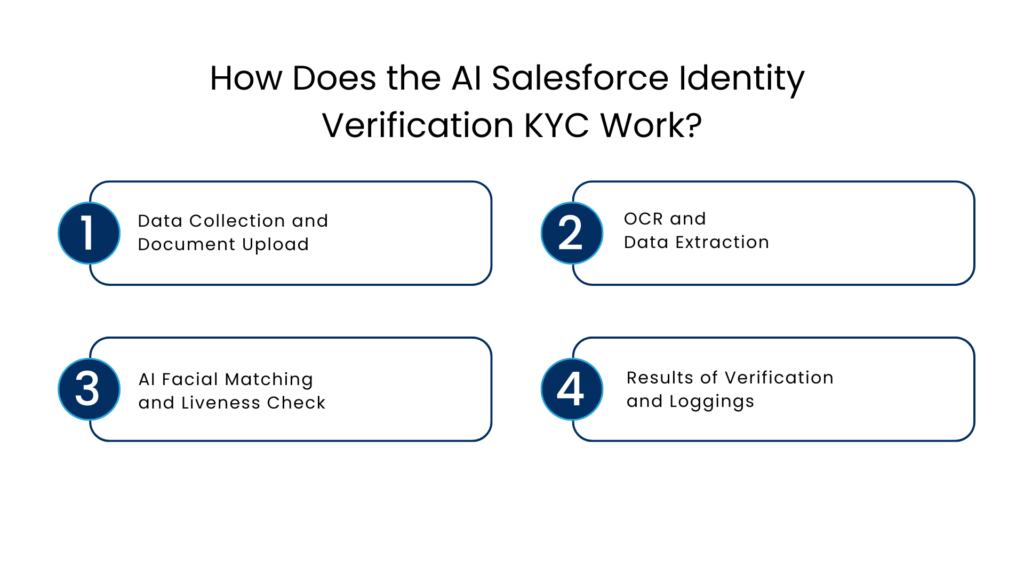
Data Collection and Document Upload
The client sends their ID documents along with a photo through a CRM-integrated document form or portal while registering for onboarding or services.
OCR and Data Extraction
OCR technology is employed to automatically extract important details about the client’s identity, such as their name, date of birth, and identification number from identity documents, including Aadhaar cards or PAN cards.
AI Facial Matching and Liveness Check
Machine learning algorithms ensure that the face detected in the selfie sent by the client is the same one featured in their identification documents. The liveness test, which relies on biometric anti-spoofing technology, confirms the validity of the picture.
Results of Verification and Loggings
The results of the verification process either successful or marked as suspicious are logged into Salesforce immediately.
How AI Helps with Audit Readiness in Salesforce Face KYC Verification
It is evident that AI plays a crucial role in the entire KYC Face verification within Salesforce and audit readiness matters in this business. Here is how the Salesforce KYC face verification prepares the businesses for audit.
Centralized + Trackable Identity Records
Verification records such as document uploads, face matches, timestamping, and result of verification are recorded in the Salesforce CRM. Companies have all information about their clients’ identities in one place, which is crucial for any audit process.
The audit team does not have to rely on spreadsheets and other unconnected programs any longer. All information is consolidated in the Salesforce record database, thanks to biometric face authentication in Salesforce.
Automated and Standardized Process
Not only is the KYC check process tiring, but it also varies and can easily make mistakes. With AI, each and every user is subjected to a set process of verification where all necessary information is checked in a specific order.
In terms of audits, consistency is important. Businesses need to have a consistent process of KYC verification in place.
Fraud Prevention Measures
Automated solutions offer robust protection from fraud and spoofing attacks. It will help businesses track and prevent malicious actions such as creating an account using another person’s name.
The documentation of attempts at fraud is an integral component of the audit trail process, as it enables organizations to provide comprehensive documentation regarding how each attempt at fraud was handled.
Timestamped Detailed Logging
Everything that happens during the process of document upload and validation is logged with timestamps. This can act as proof that the company has taken all the required steps for Know Your Customer checks.
There would be no loophole left in your documentation process anymore, as every step would be logged.
Verification Solutions With Legal Compliant ID Checks
Verification solutions like IdentryX do more than performing facial recognition checks. They also connect to the authoritative government databases for performing the check through systems like Aadhaar and PAN card.
For places like India, this provides another dimension of compliance since Aadhaar checks are required as per law.
By directly accessing the authoritative sources, businesses have a defense mechanism against any disputes in the form of documentary proof.
Best Practices to Ensure Audit Readiness with the Salesforce Identity Verification KYC Solution
To maximize the use of Salesforce KYC with AI and ensure audit readiness, consider the following best practices:
- Make sure all customers undergo the same verification process to defend your processes from audit scrutiny.
- Restrict access to critical data by storing only essential identity information and encrypting it.
- Enable logging on all relevant verifications and ensure they are recorded accurately.
- Configure automatic notifications when customers fail verification checks, mismatched identities are detected, or there are unusual patterns.
Conclusion
Identity verification through facial recognition is no longer an option for businesses. To eliminate fraud and reduce manual errors a solution like Salesforce KYC face verification is a game changer.
When the user sends and updates their selfie in the database, the Salesforce records match it with the relevant mapped ID. If the ID is legitimate and matching – the process moves forward, and in case it is not matched, the system immediately triggers an alert, identifying it as fraud.
The smooth integration makes it possible for companies not only to confirm customer identity but do so in a way that can be justified, explained, and audited at any point in time.
Any business that processes regulated information on customers from banks to fintech companies cannot afford the luxury of ignoring AI-driven KYC in Salesforce. This capability is absolutely essential for any sustainable business today.
FAQs
What is face verification for KYC?
The Salesforce KYC face verification with AI enablement refers to the automated process of validating a user’s identity using biometric facial recognition technology, directly within the Salesforce CRM. The verification happens live with the AI powered verification tools.
How to perform a face eKYC?
The selected member will receive an OTP on the mobile number linked to the seeded Aadhaar. The user needs to enter the OTP and click on the “Verify OTP” button. In case the OTP validation is unsuccessful, a failure message is displayed, and the eKYC process is stopped. After successfully validating the Aadhaar OTP, a face capture screen pops up.
What is the definition of liveness check and purpose?
The liveness check ensures that the selfie photo is not an edited one or a spoofed image but a genuine snapshot taken by the user. It utilizes biometric spoof detection measures to increase security levels.
Where are the verification results saved in Salesforce?
The results of verification activities are stored immediately in Salesforce CRM.
Why should modern enterprises use artificial intelligence-enabled Salesforce Know Your Customer?
Because it allows for secure identity authentication, accelerated onboarding processes, fraud detection, and record-keeping for audits.
For more insights, updates, and expert tips, follow us on LinkedIn.